YouTube Chapters – Generate & Add Chapters To Your Video (Free)
Looking to create YouTube chapters? Our AI generator makes it simple to add timestamps that help viewers skip to key moments. 100% Free!
[yt_chapters]

Looking to create YouTube chapters? Our AI generator makes it simple to add timestamps that help viewers skip to key moments. 100% Free!
Scrolling through a long YouTube video just to find the right moment is really frustrating. And chances are, your viewers also feel the same way.
That’s why adding click-on sections is even more crucial now. When your video is neatly divided into chapters, viewers can easily find what they’re looking for and often end up watching the entire video without skipping around. That ramps up both user experience and satisfaction.
And the best part is that the entire process for this ‘structurisation’ is super simple and automatic. You don’t need to sit with a notebook, writing timestamps out manually anymore. We have introduced a free YouTube chapter generator to create automated sections for your video. Let’s take a look at what exactly it is, why it’s worth using, how to use it, and everything else you need to know.
Get 100% real views from YouTube ads and native ads. Starting at just $3 per 1,000 views.
YouTube chapters are clickable sections that divide your video in a way so viewers can skip to the one they prefer easily. YouTube initially rolled out chapters in 2020 to assist creators in better organizing videos. The feature was introduced to improve user experience and watch hours.
You can manually create YouTube chapters by including timestamps, or let an automatic AI tool do it for you quickly.
Even before the advent of prominent automatic AI tools, many creators took hours of strain to add YouTube Video Chapters. Here’s why structuring your video is worth your extra-effort:
Let’s have a look at the three most common ways to create YouTube Chapters:
This is the traditional way to add YouTube video chapters — directly in your video description. All you have to do is type timestamps and titles in the right format, like this:
00:00 Introduction
01:25 Why Chapters Matter
03:50 How to Create Chapters
06:30 Final Thoughts
It gives you complete control over the chapter placement. But the worst part is that you must put extra effort to find natural break points in your video by watching it through and noting timestamps where topics change. That would be really time-consuming.
And you have to do all these as per YouTube specifications:
This approach is fine for shorter clips or where you need fine-grained control. But when it comes to longer material, you may be locked up for hours for this process (valuable time that could be used to improve the content quality).
If your video has a transcript or captions, this method is super helpful. Some tools can scan your transcript and automatically detect topic changes. Here’s how it works:
All credit goes to the natural language processing (NLP) backend, which identifies semantic changes in your content rather than relying on mere time-based segmentation. Such tools rely on models trained from thousands of videos to learn to detect patterns that mark new segments.
Yet, that comes with a big limitation. Transcript-based generators perform poorly with visually-centric content where elements change without verbal cues. For example, if your video is a silent timelapse of a sunset, transcript-based tools won’t help as there’s no spoken content to analyze. Those work only for podcasts and other audio-driven content.
LenosTube offers a fully automatic YouTube chapter generator powered by advanced AI systems. What makes our tool so special is that we integrate both visual and audio analysis at the same time. It works through two systems:
Don’t get upset with these technical terms! Using the LenosTube YouTube Chapter Generator is pretty simple. Here’s how it works, in simple steps.
Visit LenosTube and click on the ‘Free Tools’ section. Then, tap on ‘YouTube Chapters’ tool to get started.
Copy the YouTube video link for which you want to create YouTube chapters, and paste it in our tool. Soon, the video title will appear.
You have the option to choose the language and whether to include descriptions or not. Similarly, choose the number of chapters to include (up to 20 is allowed). If you don’t have any requirements, click on the ‘automatic’ to let the AI choose it wisely.
Within seconds, our system will finish processing and displays you with the chapters as well as titles.
Copy the results and paste them straight into your YouTube description.
YouTube does have an automatic chapter feature. Although it attempts to catch changes in content with AI, it’s far from ideal. There are several instances of misinterpreting tone shifts and skipping over pivotal moments.
Even if the chapters are placed neatly, the title would most probably be generic, such as ‘Section 1’. So, you won’t be able to get any views. That’s why many content creators advise not to fall for it.
Jump to minute 4:00 of the below video.
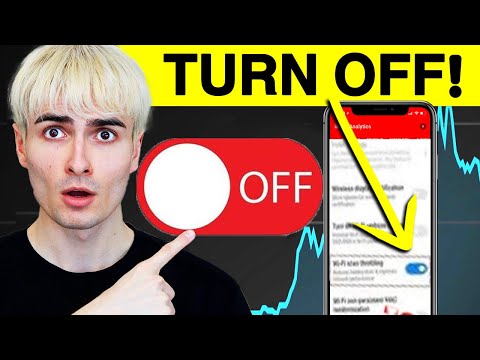
If you are using your own or an AI chapter generator (such as ours), you’ll want to disable YouTube’s auto chapters so they don’t overwrite your work. Here’s how to do it:
At LenosTube, we offer a free YT Chapter Generator tool for small creators like you who can’t afford to buy expensive tools. Check out the features that make us far better than paid fancy tools:
As soon as you drop the link, our generator scans your video. The algorithm processes audio waveforms to detect natural pauses in speech. Even visual scenes are tracked out through frame comparison to spot topic changes. All these will make the chapter breaks more natural.
Why bother with titling each segment? Our natural language processing engine hears what you’re really saying in every segment. It pulls out significant topic keywords that you mention and creates concise titles that accurately reflect your content. You can also use our Youtube video title generator to create SEO-optimized, catchy titles for your video.
Our YouTube Chapter Generator has a very user-friendly user interface where all elements are neatly organized without any annoying ads. All you need to do is paste the URL (don’t even need to upload) and hit the ‘Generate’ button. And guess what? It runs flawlessly on both Android and PC devices.
At LenosTube, we understand that time is precious for video creators. That’s why our tool is based on an advanced processing technology that automatically processes several portions of your video at once and provides full chapter ideas within seconds.
After generating the chapters, you will be able to copy them all in one click. Your neatly formatted chapter titles and timestamps are copied directly to your clipboard in YouTube’s specification format:
00:00 Introduction
03:45 Getting Started
08:22 Advanced Techniques
10:13 Conclusion
You just need to copy them to the video description. It’s already formatted!
Tired of losing out on video credits or viewing features behind paywalls? We offer the chapter generator service completely for free. You will get 10 free generations each month. Once you log in, you can use as much as you want without any restrictions.
We follow a hybrid analysis methodology that integrates several AI technologies for high accuracy. Unlike other tools, we’re not entirely reliant on keyword detections. Our system makes use of speech-to-text technology and semantic content analysis to get context. That means the generated chapters will reflect what is really going on in your video.
Once you create YouTube chapters, you can make a shareable report of the suggested chapters, titles, and duration. Share this report with clients or team members for feedback prior to finalizing your video description.
Download our 100% free YouTube CTAs, to boost engagement rate with no effort!
LenosTube makes it easier to add YouTube Video Chapters. Check out how our tool puts you ahead of your competitors:
Be honest. How much time do you spend to add YouTube video chapters to a video? 20 minutes? 30 minutes? What if you could do it within the blink of an eye? Well, LenosTube YouTube Chapter Generator makes it possible.
For content teams making several videos per week, this means 15+ hours saved per month. You can dedicate those extra hours to improving the content quality.
Our AI doesn’t simply cut up your video at set intervals. It finds the specific points where viewers are most likely to leave and add YouTube Video chapters there. In fact, the algorithm is trained with massive datasets that include thousands of top-performing videos in diverse niches to learn about best-practice chapter placement.
If viewers can find sections they’re interested in with ease, they spend more time with your content in general. And they may even hit a thumbs up button. That’s a positive signal for the algorithm to promote your video to more feeds. Want more thumbs up for your videos? Buy real YouTube likes from us.
LenosTube YouTube Chapter Generator AI creates each chapter title to increase your visibility. Our natural language processing system reads your video content and automatically includes relevant keywords that your audience are currently looking for. That increases the viewers of your videos. Want to increase it further? Buy real YouTube views from us!
The AI tests the titles against the database of search trends for YouTube to make sure that your video can dominate the search engine results. Your video will have several chances to be discovered in searches under various subtopics.
More than 70% of YouTube watch time now comes from mobile devices, where navigation is more complicated. Our automatic chapters are mobile-optimized with concise and easy-to-read titles that show up great on smaller screens. Such a technical formatting ensures your chapters look right in YouTube’s mobile UI.
User-friendliness matters more than ever. Even search engines care about it when ranking your videos. But let’s be honest, you probably didn’t think of this 7 years ago. So now you’re stuck with hundreds of older videos. How do you catch up with the competition?
Well, don’t even think of manually creating. It could cost a lifetime. Instead, you can make use of our AI YouTube Chapter Generator tool to create YouTube chapters instantly. It automatically adds clear and clickable subtitles for each section within seconds. You will be able to wrap up the entire process within an hour and rank your content again.
It is tough to add YouTube Video chapters while working with big teams. Our tool makes that simple through shareable links. You can share the automatic chapter titles with durations with your other team members for approval.
The processed chapter list created by our AI YouTube Chapter Generator is well-designed to achieve the platform’s technical standards. Just do a one-click copy, paste into your description. No reformatting is required.
That removes the chances for common human mistakes that frequently make chapters fail, such as incorrect timestamp formatting, lack of spaces between titles and timestamps, incomplete chapters, etc. All chapter lists are verified against the latest YouTube requirements prior to delivery.
Have a look at both sides of LenosTube AI YouTube Chapter Generator:
In short, our AI tool is a valuable resource for anyone who cares for their subscribers. Yet, it is specifically made for:
If you’re instructing intricate skills or ideas, correct chapter organization is a must-have for audience. LenosTube’s AI identifies natural teaching transitions by identifying explanation patterns and can create YouTube chapters accordingly within seconds. Thus, you can let viewers jump to topics that interest them the most.
Research videos are usually long. Unfortunately, many of its publishers still don’t know the importance of structurizing them neatly. That’s a real challenge for your research process as you’re forced to watch an entire video just to see whether it covers the topic you’re looking for.
You can make use of our AI YouTube Chapter Generator to get timestamped chapters within seconds. It’s really helpful to create citations, too, as you can quote the exact time where the information is mentioned. You can even share it with your team members as a link to let them view precise moments.
Video podcasts are getting popular nowadays. But here’s a question to all podcast creators: how many times do you need to hear the guest to curate the topics to add YouTube Video chapters?
Well, our audio recognition system detects speaker transitions and voice patterns to identify when discussions transition from one topic to another, even when the transition is subtle. That means no important topic will be missed out. Plus, you can wrap up the entire process in seconds.
Playthroughs and gaming streams last hours with varying content types along the way. our AI YouTube Chapter Generator’s visual recognition engine automatically detects game state change events.
The system sees the visual vocabulary of various genres of games and knows when a racing game makes the transition from car selection to actual racing. These transitions are presented as chapters to make it easy to locate particular game segments.
Although our YouTube Chapter Generator with AI generates SEO-optimized chapter titles, there is always more you can do to make your videos perform much better on search engines. Below are some optimization tips to do so:
Yes, our tool generates SEO-optimized titles. But you can put some extra effort into tailoring the title more to your audience.
After the AI create YouTube chapters, you must adjust the titles to add keywords your viewers are looking for. Make use of free keyword research tools like Google Keyword Planner, SEMRush, Ahrefs, Uber Suggest, etc., to find keywords. But the problem is that most of the above-mentioned tools are generic ones.
Luckily, at LenosTube, we offer a free keyword research tool that is specifically dedicated to YouTube search engine trends. You can utilize it to find spot highly searched terms with less competition, related to your topic.
As a general rule of thumb, you must try to fine-tune (no stuffing) your most precious keywords first in each chapter title, not last. This front-loading method gives more algorithmic importance to your target keywords.
Want to examine the effectiveness of your SEO strategies? Try out our free YouTube channel SEO audit tool.
Organize your chapters to form a psychological loop that holds the audience captive:
This “sandwich” format avoids the mid-video dropoff that damages algorithm performance. Higher retention can lead to better performance— both at search engines and algorithm suggestions. You can try out our free YouTube script outline generator to have an optimized structure for your videos.
Cluster 2-3 related chapters around your most important competitive keywords. This form a content density signal that the YouTube algorithm recognizes as in-depth topic coverage.
For example, if you’re targeting the keyword ‘sourdough bread recipe’, add YouTube video chapters like:
This grouping establishes topical authority on ‘sourdough’ that individual chapters can’t obtain. Your video may get ranked higher for searches with that specific keyword. You can make use of our free YouTube rank checker tool to track your positions for each keyword.
Social media shares and video embeds are a powerful, organic way to boost YouTube SEO. Our shares are 100% real and we provide a full report.
Questions exactly match the way users search. You can transpose regular chapter titles into question form for improved search alignment.
For example, if you are doing a video on ‘YouTube algorithm changes’, you can include the title ‘How Does Instagram’s Algorithm Work?’ anywhere.
Similarly, including numbers is also a proven technique to catch more eyes. It creates visual stop points that attract the viewer’s attention when scrolling through chapter listings.
The timing of when you add YouTube video chapters affects both user experience and SEO. Create YouTube chapters at:
YouTube’s algorithm tracks “rewatch behavior” at chapter points, and intentional placement can increase your retention metrics by making natural rewatch points.
A YouTube Chapter Generator is a dedicated tool that automatically splits your video content into labelled sections. It works by examining your video content for natural break points and providing relevant titles for each segment.
Well, YouTube Shorts don’t support chapters. The feature was actually introduced to make long-form videos more user-friendly. It’s not meaningful for videos under 180 seconds and also, Shorts do not support chapters.
Yes. We support more than 30 languages including English, French, Chinese, Spanish, Portuguese, Hindi, Arab, Dutch, etc.
It’s easy to make! First of all, copy our version and paste it to your video description. Now, you can make all the title changes directly from there.
YouTube allows up to 100 chapters per video. However, it is better to keep just 8-12 chapters for a 30-minute video. Too many chapters just confuse the viewer. Luckily, our tool has an in-built ‘automatic’ feature that suggests the optimal chapter density based on your content length and complexity.
To add chapters manually, open your video’s description in YouTube Studio, then list timestamps in ascending order, each followed by a brief label. Start with 0:00 as your first timestamp, and include at least three entries (e.g. “0:00 Intro,” “1:00 Requirements,” “4:30 Tutorial”). YouTube will automatically display chapters on the progress bar, making it easy for viewers to jump to each section.
YouTube can generate chapters for you if you enable “Allow automatic chapters (when available)” under YouTube Studio → Settings → Upload defaults → Advanced settings. Automatic chapters save time, but they’re sometimes inaccurate or split sections oddly. If you want accurate chapters, it’s usually better to craft your own timestamps manually and disable YouTube’s automatic feature.
There were times when creators just needed to post quality content and sit back and wait for reach. But that era is long gone.
Now, it’s all about creating the best user experience. YouTube regularly rolls out many features for that. Only creators who make the most out of them to improve the user experience will survive. The rest will perish.
YouTube chapters are a perfect example. They might take time to create, but top creators still do it — because they know the value.
Now things have changed. Our AI YouTube Chapter Generator lets you get all the structure with none of the stress. Just paste your video link and hit the generate button. Try it now for free!
Enjoy 23+ 100% free YouTube tools
Discover 20+ high-quality, real YouTube growth services
Lenos is not that usual SMM agency. We are dedicated exclusively to YouTube services and we specialize in them, offering quality solutions and campaigns to grow your channel and increase views.

© 2018-2024 Lenos · All rights reserved
SSL Secure Payment
Your payment is protected by 256-bit SSL encryption


There are 5 Comments
Please Login to view and post the comments.