


Millions of creators dream of the moment when YouTube officially recognizes their channel with a Creator Award. It’s undoubtedly the ultimate badge of honor for any creator.
Ever wondered how creators actually get their YouTube Play Button and what it really takes to achieve that milestone? In this blog, we’ll break down the exact Creator Awards requirements, the hidden eligibility rules, and the step-by-step process to claim your YouTube play button faster.
In this article, we’ll cover…
- What Exactly Is a YouTube Play Button? (Explained Quickly)
- YouTube Play Buttons: The 5 Levels You Can Earn
- Next Level: Real Examples of YouTubers Who Got Custom Play Buttons
- Eligibility Requirements to Qualify for a YouTube Play Button
- Step-by-Step Guide: How to Apply for Your YouTube Play Button
- Can You Upgrade or Update Your YouTube Play Button?
- Pro Tips to Reach Your First YouTube Milestone Faster
- Is It Possible to Buy a YouTube Play Button?
- FAQ About YouTube Play Buttons
What is a YouTube Play Button?

A YouTube Play Button, also known as a YouTube Creator Award, is a special recognition that YouTube gives to creators when they hit big subscriber milestones. The award confirms that a channel has successfully built a large, engaged audience and, critically, complied with all platform policies.
YouTube Play Buttons: The 5 Levels

Check out the different types of YouTube Play Buttons, what they’re made of, and how to qualify for each one:
1. Silver Play Button

This is usually the first big milestone for most creators. When your channel crosses 100k subscribers, you become eligible to get the Silver Play Button.
The Silver Play Button is primarily made from a nickel alloy, featuring a polished, silver-colored finish. The design has changed a lot in the past few years. And now it includes your channel name engraved on the front and a message from YouTube on the back.
Fun Fact
The Silver Play Button replaced the older ‘metal button in a glass frame’ design in 2016 with a modern look.
2. Gold Play Button

YouTube rewards you with a Gold Play Button when you reach 1 million subscribers. This award is crafted from gold-plated brass. Even though the size of the Play Buttons was recently adjusted (smaller than previous ones), their striking golden finish makes them instantly recognizable as a monumental YouTube achievement.
3. Diamond Play Button

Reaching 10 million subscribers is a rare and massive achievement. The Diamond Play Button is one of the most prestigious YouTube subscriber awards to celebrate.
Unlike the previous plaques, the Diamond Play Button is made from silver-plated metal and features a colorless crystal triangle (the Play Button icon) set into the plaque. Applying for YouTube Diamond Play Button status is a rarefied club.
4. Red Diamond Play Button

It’s one of the most exclusive YouTube awards on Earth. Only a handful of channels worldwide, like PewDiePie and T-Series, have received the Red Diamond Play Button.
As the name suggests, it’s made up of a dark red crystal center encased in silver metal. And it comes with a personalized note from YouTube’s CEO.
5. Custom Play Button
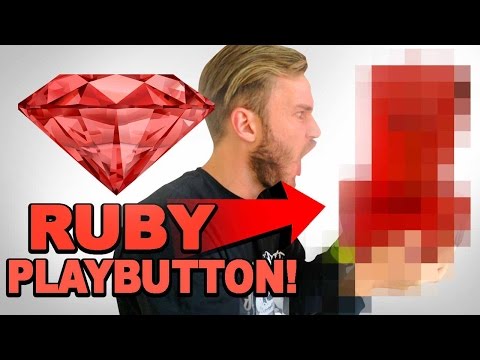
YouTube sometimes gives Custom Play Buttons (also known as Ruby Play Button) to creators who hit unusual subscriber milestones or achieve something extraordinary, like 50 million subscribers. These are not part of the standard award system but are special cases decided by YouTube. The design of Custom Play Button is fully unique, tailored to the creator’s branding.
Examples of YouTubers Who Received Custom Play Buttons

Here are notable examples of YouTubers who received this prestigious award:
1. PewDiePie
On December 8, 2016, Felix Kjellberg, better known as PewDiePie, became the first person to get a Custom Play Button when he hit 50 million subscribers.
PewDiePie’s Custom Play Button was designed in the shape of his iconic ‘brofist’ logo. The award was officially called the Ruby Play Button by PewDiePie himself, though YouTube’s official term is Custom Play Button itself.
2. BLACKPINK
The South Korean girl group BLACKPINK hit 50 million subscribers on October 4, 2020, becoming the first Korean YouTube channel and the first K-pop act to receive this honor.
On December 3, 2020, BLACKPINK got their Custom Play Button. Their award had a sleek design in pink and black colors that fit perfectly with their brand identity.
4. Canal KondZilla
In June 2019, Canal KondZilla, the Brazilian music video production channel started by Konrad Cunha Dantas, had 50 million subscribers. They got their Custom Play Button in November 2019. The channel is well-known for making Brazilian funk music, featuring artists like MC Kevinho and MC Fioti.
The Custom Play Button from KondZilla had a one-of-a-kind round shape. It was mostly black with clear parts and the red YouTube play button logo behind the KondZilla logo in the middle. The base of the award had the words ‘50 million subscribers; written in big gold letters.
Did You Know?
MrBeast interestingly didn’t receive an official Custom Play Button from YouTube despite becoming one of the platform’s biggest stars and hitting 50 million subscribers as early as 2021.
By the time MrBeast reached this extraordinary milestone, YouTube explicitly informed him they were no longer sending out these awards, even though earlier creators like PewDiePie (2016), Canal KondZilla (2019), and BLACKPINK (2020) had received them.

Eligibility Criteria to Get a YouTube Play Button

Before YouTube ships your Creator Award, your channel must meet a few more important eligibility requirements:
1. Hit the Required Subscriber Milestone
The first and most obvious step to get a YouTube Play Button is to hit the subscriber count needed for each award. Remember, YouTube counts authentic subscribers only. Bot views and subs could lead to serious consequences.
2. Your Channel Must Be Active and Public
Only active and public channels qualify for the YouTube Creator Award. Your videos and subscriber count must be visible to everyone. And it must have uploaded content within the last six months before hitting the milestone.
3. Follow YouTube’s Community Guidelines
Your channel must be fully compliant with YouTube’s Community Guidelines, without any violations or copyright strikes. Plus, you must reside in a country or region where the Creator Awards program is available.
4. Original and Authentic Content Only
A YouTube Play Button is meant to reward original content creators. So, the platform has strict rules about reused content that must be followed.
Your main content cannot be focused on the curation of other people’s content without a significant original contribution. For example, simply uploading a collection of popular movie clips on YouTube without your own input will make you ineligible for the YouTube Play Button.
To be considered original, your content must be transformed in a way that adds value to the viewer through commentaries, reviews, heavy video editing, and so on.
5. Channel Verification Process
Finally, YouTube verifies that the channel is owned by you (via your Google account).
Step-by-Step: How to Apply for a YouTube Play Button

So, you’ve hit your big milestone, be it 100k, 1M, or even 10M subscribers. Now the million-dollar question is: How do I actually get my YouTube Play Button?
Well, YouTube makes the Creator Award claiming process simple. Let’s go through it:
1. Wait For the Official Notification
Within about 1–2 weeks of crossing your milestone (like 100k for the Silver Play Button), YouTube will review your channel manually to confirm eligibility. After that, you’ll receive a:
- Unique redemption code to the email associated with your channel
- A notification pops up in your YouTube Creator Studio dashboard
If you’ve waited a few weeks after hitting your YouTube milestones and haven’t seen a code, you can use the official YouTube Creator Awards eligibility checker tool to retrieve it.
2. Redeem Your Award Code
Visit the Creator Awards website to formally apply to get YouTube Play Button. Here’s how to do it:
- Enter your unique claim code
- Fill in your full name, address, and phone number for delivery
- Confirm your channel name and milestone for engraving
3. Verification by YouTube’s Awards Team
After submitting your claim form, YouTube’s Creator Recognition Team verifies your details.
They’ll confirm:
- Your channel’s eligibility and authenticity
- The correctness of your shipping details and the engraving name
- That you haven’t already redeemed a Play Button for the same milestone
This verification can take up to 2 weeks, depending on your location and award type (for example, the Diamond Play Button review takes longer).
4. Production and Shipping Process
After verification, your YouTube Play Button moves into production and packaging. Awards are produced by Society Awards, the same company that makes trophies for the Emmys and Golden Globes.
As it gets shipped, you will receive an email containing a tracking number. The general estimated YouTube Play Button shipping time is 2 to 4 weeks. International orders may take a bit longer. If your YouTube Play Button is not received within 8 weeks, contact YouTube Creator Support through your YouTube Studio Help panel.
Even though the YouTube Creator Award itself is free (you do not pay for the plaque), creators are responsible for any applicable import taxes, customs duties, or fees required by their local government. If you live in a region that charges these fees, you must respond to the shipping company promptly to prevent the award from being returned or lost.
5. Unbox Your YouTube Play Button
The award will arrive in a branded black YouTube Creator Award box. Inside, you’ll find:
- Your YouTube Play Button (Creator Award)
- A congratulatory letter from the YouTube team
- A certificate of authenticity
- Sometimes, a personalized message from YouTube’s CEO for higher-tier awards, like the Red Diamond Play Button or the Custom Creator Award
In case of any damage, contact the customer care support as soon as possible with supporting images and videos.
From the moment you reach your subscriber milestone to the moment you physically receive your button, it can take 3 to 8 weeks.
Can I Update My Play Button?

Yes. If you rename your channel after receiving the YouTube Play Button, you can receive a new one with the new name. You will need to:
- Provide proof of ownership for the channel
- Submit the original award details
- Pay a small replacement fee (depends on award type)
YouTube allows one reissue per milestone as part of its Creator recognition policy.
Tips to Reach Your First YouTube Milestone Faster

To speed your path and claim your YouTube Creator Award faster, you need a clear-cut strategy. Have a look at some tips to devise such a strategy:
1. Optimize For The First 30 Seconds
The first 30 seconds of your video decide whether a viewer stays or leaves. And the YouTube algorithm keeps an extra eye on that. So, always start with a:
- Strong introduction script. At LenosTube, we offer a free YouTube video intro generator that helps you hook viewers to your video.
- Try a pattern interrupt, like a surprising statement, curious visual, sound effect, etc.
- Quickly show the value: tell viewers what they’ll learn right away.

You can also go through the Audience Retention Graph in the YouTube analytics. It shows the main drop-off points, where your audience left the video. You can make use of this data to improve your videos.
2. Target The Best Micro-Niches
The time to go broad is long gone. Almost all popular searches have hundreds of videos and intense competition.
The best YouTube SEO strategy now is to find micro-niches with less competition but high demand. Here’s how to do it:
- Go to LenosTube’s website and select the YouTube keyword volume checker from the Free Tools
- Assume that you’re a health niche content creator. Type in some fresh keywords (not saturated ones) that are relevant to your niche: mado diet benefits, bodyweight workouts at home, and so on. Hit the Generate button
- You can see the search volume, competition score, cost per click (CPC), and trend graph for each keyword you enter
- Select those with a high search volume and a low competition score. That’s the best YouTube content idea for your next video!
3. Create High-Quality Thumbnails
Your thumbnail is your billboard. So, make sure that it’s completely professional and attractive by:
- Making use of facial expressions to evoke curiosity
- Picking the best fonts for the YouTube thumbnail
- Intelligent choice of colors to create a contrast (like placing a bright object on a dark background)
4. Repurpose Your Long Videos into Shorts
YouTube Shorts are the fastest way to grow new subscribers quickly. And yes, they count toward Play Button milestones.
So, try to create a Shorts version for all your long-form videos. In fact, YouTube Studio makes it much easier:
- Go to YouTube Studio
- Select Content
- Click on Remix and then Edit into a Short
You can convert any existing clip into a 60-second short with one click. Make sure that you pick the most exciting part of the video that can convert a first-time viewer to a subscriber.
For more detailed tips, visit our blog on 100+ YouTube Channel Growth Tips.
Can You Buy a YouTube Play Button?

Yes. Technically, you can buy a YouTube Play Button. But what you’ll get is only a replica, not an official YouTube Creator Award.
These replica Play Buttons are made by third-party sellers and can look almost identical to the real ones. Many creators buy them as props for videos, decoration, or motivation while they work toward the real milestone. And the good news? It’s completely legal as long as you don’t claim it’s an official YouTube award or try to sell it as one.
If you’re curious about the pricing, here’s what to expect:
- A replica Silver or Gold Play Button (for 100K subs) usually costs between $60–$200 USD. The exact price depends on the quality and customization.

- A replica Diamond Play Button can range from $150–$500 USD, especially if you want your channel name engraved.
You can find these on Etsy, eBay, AliExpress, and other online stores that offer custom awards and plaques. Just search for “custom YouTube Play Button” and check reviews carefully before buying.

Frequently Asked Questions (FAQs) ❓
1. What is the price of a YouTube Play Button?
Actually, it’s free. YouTube sends it once you qualify and claim it. You only pay if you request a replacement, modification, or if there are any additional government charges to reach your place.
2. How many YouTube button levels are there?
There are five main levels of YouTube Play Buttons: Silver (100K subscribers), Gold (1 million subscribers), Diamond (10 million subscribers), Red Diamond (100 million subscribers), and a custom creator award for unique channels that exceed special milestones.
3. What’s the highest youtube play button ever given?
The highest one is the Red Diamond Play Button, awarded to creators who cross 100 million subscribers. Only a few channels like T-Series, Cocomelon, and MrBeast have received it. It’s made of deep red crystal and metal, representing the ultimate creator milestone.
4. What are the eligibility requirements for a YouTube Play Button?
To qualify for a YouTube Creator Award, your channel must reach the required subscriber milestone, follow YouTube’s Community Guidelines and monetization policies, and should be manually verified by YouTube before approval.
5. How long does it take to receive the YouTube Play button after qualifying?
Once your channel hits a milestone and passes YouTube’s verification process, you’ll get a notification within 2 weeks. Then, you can claim it through the Creator Awards Portal. The shipping time is about 2 to 4 weeks for US-based creators and about 8 weeks for international creators.
6. Can you receive more than one Play button?
Of course. If you manage multiple channels, each one can earn its own YouTube Creator Award, as long as it meets the Play Button requirements individually.
Conclusion
The truth is that every creator who ever held a YouTube Play Button started with zero subscribers. No big team. No advanced gear. Just an idea, a bit of courage, and a camera that probably overheated halfway through recording. That was their investment.
Compared to them, you’ve a lot more advantages in this AI-driven era. And you’re already doing what most people never start.
All you need now is the same consistency and fire they had. So keep uploading, keep improving, and one day soon, you’ll be unboxing your own YouTube Play Button.


Leave a Reply
Want to join the discussion?Feel free to contribute!